

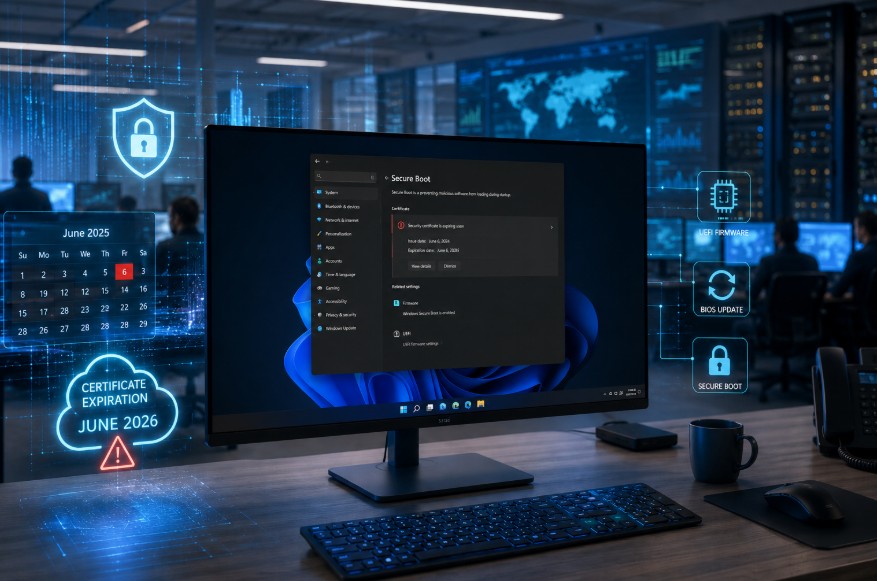
Microsoft’s Secure Boot certificates issued in 2011 will begin expiring in June 2026, creating an important security milestone for Windows users, IT teams and UK businesses.
Windows devices should still boot normally after expiration. However, systems without the updated 2023 certificates may miss future boot-level security protections, increasing exposure to threats such as bootkits and firmware malware.
Microsoft has started rolling out replacement certificates through Windows Update, but some devices may also need BIOS or UEFI firmware updates from manufacturers such as HP, Dell and Lenovo.
Key points:
- Windows devices will continue working after certificate expiration
- Boot-related security updates may stop without new certificates
- Windows 10, Windows 11 and Windows Server systems are affected
- Most modern devices will update automatically through Windows Update
- Some systems require OEM firmware or BIOS updates
- Disabling Secure Boot is not recommended
Understanding how this update works now can help businesses and individuals avoid future security gaps and maintain long-term system protection.
What Is the Windows Certificate Expiration?

The Windows certificate expiration in June 2026 refers to the expiry of Microsoft Secure Boot certificates originally issued in 2011. These certificates are part of the Unified Extensible Firmware Interface (UEFI) Secure Boot process that verifies trusted software during startup.
Secure Boot acts as a protective layer before Windows fully loads. It checks whether bootloaders, drivers and firmware components are digitally signed by trusted certificate authorities.
Once the original certificates expire, systems without updated replacements may no longer trust future boot-related security updates.
Although devices will still function normally in most cases, the inability to receive future Secure Boot protections could weaken overall system security over time.
Why Are Microsoft Secure Boot Certificates Expiring in 2026?
Secure Boot certificates were never intended to last indefinitely. Like all cryptographic certificates, they are issued with lifecycle limits to maintain modern security standards and reduce long-term risks.
The Role of UEFI Secure Boot Certificates
UEFI Secure Boot certificates help verify that firmware components, bootloaders and startup files are trusted before Windows fully loads.
This early-stage verification process prevents malicious code, rootkits and unauthorised software from running during system startup, which is one of the most sensitive stages of device security.
How the Secure Boot Trust Chain Works?
The Secure Boot trust chain relies on multiple security databases working together to validate trusted software and block unapproved components during startup.
Core components of the Secure Boot trust chain include:
- Platform Key (PK)
- Key Exchange Key (KEK)
- Allowed Signature Database (DB)
- Forbidden Signature Database (DBX)
Each security layer validates the next stage in the process, creating a chain of trust that ensures only authenticated code can execute when the device powers on.
This layered approach helps maintain firmware integrity and reduces the risk of boot-level malware attacks.
Why Microsoft Introduced the 2023 Certificates?
Microsoft introduced the new 2023 Secure Boot certificates to replace the ageing 2011 certificates and strengthen protection against emerging cyber threats such as BlackLotus bootkits and firmware-based attacks.
The updated certificates also support future security improvements and compatibility with newer Windows hardware and firmware environments.
“Refreshing Secure Boot certificates is a necessary step to maintain a secure and trusted startup environment for future Windows systems.” — Microsoft Windows Security Engineering Team
By proactively rotating these certificates before expiration deadlines arrive, Microsoft aims to preserve startup security, maintain device trust and ensure Windows systems continue receiving critical boot-level protections without disruption.
Which Windows Devices and Systems Are Affected by the 2026 Certificate Expiration?

Most Windows systems released since 2012 with Secure Boot enabled are affected by this change. This includes both physical and virtual devices.
Affected platforms include Windows 10, Windows 11 and several Windows Server editions, including LTSC deployments. Virtual machines using Secure Boot are also included in the rollout.
Systems likely affected include:
| Affected Systems | Status |
| Windows 10 devices | Affected |
| Windows 11 devices | Affected |
| Windows Server 2016–2025 | Affected |
| Virtual Machines with Secure Boot | Affected |
| Many 2024+ Copilot+ PCs | Mostly unaffected |
Many PCs manufactured since 2024 already contain the updated 2023 certificates, reducing deployment requirements for newer hardware.
Businesses using older devices should verify compatibility with OEM firmware updates before the 2026 deadline.
What Security Risks Could Expired Secure Boot Certificates Create?
The main concern is not that systems will suddenly fail, but that future startup protections may no longer apply correctly.
When Secure Boot certificates expire without replacement updates, devices may lose the ability to install:
- Boot Manager security fixes
- Secure Boot DB and DBX updates
- Revocation protections against compromised bootloaders
- Mitigations for future firmware vulnerabilities
This creates a progressively weaker boot security environment over time.
One major concern highlighted by Microsoft is the BlackLotus UEFI bootkit vulnerability. Bootkits operate before the operating system loads, making them significantly harder to detect using standard endpoint security tools.
“Boot-level attacks remain among the most sophisticated cyber threats because they operate beneath the operating system itself.” — Nuno Costa, Microsoft Partner Director
For UK businesses handling customer data or regulated information, maintaining Secure Boot integrity is increasingly important for compliance and cyber resilience.
How Will the June 2026 Certificate Expiration Affect Windows Updates and Boot Security?

Many users assume Windows updates will completely stop after June 2026, but that is not entirely accurate.
Standard operating system updates will continue to install normally. However, boot-related security components tied to Secure Boot trust may fail to update without the new certificates.
Impact on Windows Boot Manager
Windows Boot Manager updates rely on trusted certificate validation. Without updated certificates, future security fixes may not install successfully.
This could eventually expose devices to startup vulnerabilities and firmware-level attacks.
Risks to BitLocker and Secure Startup Features
Features that depend on Secure Boot trust, including BitLocker hardening and code integrity protections, could also become less effective if certificate updates are missing.
The following table outlines expected functionality after certificate expiration:
| Feature | Without Updated Certificates |
| Normal Windows startup | Continues working |
| Standard Windows updates | Continue |
| Boot Manager security fixes | May stop |
| Secure Boot revocations | May fail |
| Future boot protections | Limited |
Although devices may appear functional, their security posture gradually weakens over time.
How Can You Check Whether Your Windows Device Is Protected?
Users and IT administrators can verify Secure Boot status using several built-in Windows tools.
The easiest method is through System Information.
To check Secure Boot status:
- Press Windows + R
- Type msinfo32
- Press Enter
- Locate “Secure Boot State”
If the status shows “On”, Secure Boot is enabled.
Enterprise environments can also use Microsoft Intune, Windows Autopatch and Event Viewer to monitor deployment progress across multiple devices.
Microsoft additionally introduced the UEFICA2023Status registry value to track whether updated certificates have been applied successfully.
Checking device readiness now helps avoid last-minute deployment problems before June 2026.
What Steps Should You Take to Update Secure Boot Certificates Before June 2026?
Most personal Windows devices will receive updated certificates automatically through Windows Update. However, organisations and users with older systems should still verify readiness manually.
Installing the Latest Windows Updates
Keeping Windows fully updated remains the most important step. Microsoft is delivering Secure Boot certificate updates gradually through cumulative updates.
Users should regularly install:
- Monthly Windows updates
- Security patches
- Optional firmware-related updates
Updating BIOS and UEFI Firmware
Some devices require OEM firmware updates before new Secure Boot certificates can install correctly. Manufacturers including HP, Dell and Lenovo have already released BIOS updates for many supported systems.
“Firmware readiness is essential because Secure Boot operates at the hardware trust layer before Windows even starts.” — Enterprise Endpoint Security Consultant
Before applying Secure Boot updates, users should ensure their BIOS version matches OEM recommendations.
Verifying Certificate Deployment Status
IT administrators can confirm deployment through:
| Verification Method | Purpose |
| Event Viewer Event ID 1808 | Successful certificate deployment |
| UEFICA2023Status | Deployment progress |
| Windows Autopatch reports | Enterprise monitoring |
| OEM firmware tools | BIOS readiness checks |
Proper monitoring ensures systems successfully transition to the 2023 certificate chain.
What Should Enterprise IT Teams and UK Businesses Do to Prepare?

Enterprise environments require more structured planning due to the scale and diversity of managed devices.
Microsoft recommends that organisations begin preparing immediately rather than waiting until 2026. Businesses should inventory affected systems, identify unsupported devices and test deployments within pilot environments.
For many UK organisations, the biggest challenge will involve coordinating firmware updates across mixed hardware fleets. Businesses with air-gapped systems, manufacturing environments or legacy infrastructure may require customised deployment processes.
Microsoft Intune, Group Policy and registry-based deployment methods can help automate updates across managed devices. Organisations should also ensure required diagnostic data settings are enabled if relying on Microsoft-managed rollout processes.
Proactive preparation significantly reduces operational risk and avoids rushed deployments closer to expiration deadlines.
Why Should You Avoid Disabling Secure Boot on Windows Devices?
Disabling Secure Boot may seem like a quick workaround, but it can weaken important startup protections on Windows devices. Microsoft recommends updating certificates and firmware instead of bypassing built-in security controls.
Key Risks of Disabling Secure Boot:
- It can expose devices to rootkits and malicious bootloaders.
- It may increase the risk of firmware tampering.
- It can create compliance issues for regulated businesses.
- It may cause complications during enterprise deployment.
- Turning it off and on again could reset updated certificates in some cases.
For home users, Secure Boot helps protect the device before Windows fully loads. For businesses, it supports stronger endpoint security and compliance.
The safest approach is to keep Secure Boot enabled and apply Windows, BIOS or UEFI updates when available.
What Does Microsoft Recommend for Staying Protected After June 2026?

Microsoft’s guidance focuses on maintaining updated Windows systems, enabling Secure Boot and applying OEM firmware updates where required.
For most users, allowing Microsoft to manage updates automatically will provide the simplest solution. Organisations with specialised environments should follow Microsoft’s Secure Boot deployment playbook and monitor update status carefully.
The transition represents one of the largest coordinated Secure Boot maintenance efforts across the Windows ecosystem, involving Microsoft, OEMs and enterprise IT teams worldwide.
Businesses that begin preparation early will be better positioned to maintain uninterrupted security protections beyond June 2026.
Windows Secure Boot Certificate Expiration Timeline and Update Table
The following timeline highlights the key Microsoft Secure Boot certificates expiring in 2026, their replacement certificates, and the role they play in maintaining Windows startup security and trusted boot processes.
| Certificate | Expiration Date | Replacement Certificate | Purpose |
| Microsoft Corporation KEK CA 2011 | June 2026 | Microsoft Corporation KEK 2K CA 2023 | Signs DB and DBX updates |
| Microsoft UEFI CA 2011 | June 2026 | Microsoft UEFI CA 2023 | Signs third-party bootloaders |
| Microsoft Windows Production PCA 2011 | October 2026 | Windows UEFI CA 2023 | Signs Windows boot components |
Understanding these timelines helps businesses and IT teams prioritise firmware readiness and deployment planning before expiration deadlines arrive.
FAQs About Windows Certificate Expiration June
Will Windows PCs stop working after Secure Boot certificates expire?
No. Most Windows devices will continue to boot and operate normally, but they may stop receiving future boot-level security protections and Secure Boot updates.
How do I know if my BIOS requires an OEM firmware update?
Check your device manufacturer’s support website for Secure Boot or BIOS guidance related to the 2026 certificate expiration rollout.
Are virtual machines affected by the Secure Boot certificate expiration?
Yes. Virtual machines using Secure Boot on supported Windows versions are included in Microsoft’s certificate update programme.
Can unsupported or older PCs still receive the new certificates?
Some older systems may receive manual update options, but unsupported hardware may not receive OEM firmware updates.
What is the difference between KEK, DB and DBX in Secure Boot?
KEK authorises Secure Boot database changes, DB stores trusted signatures, and DBX stores revoked or blocked signatures.
Do home users need to manually install Secure Boot certificate updates?
In most cases, no. Microsoft plans to deliver updates automatically through Windows Update for supported systems.
How are the 2023 Secure Boot certificates related to BlackLotus protection?
The updated certificates help support mitigations against advanced bootkits such as BlackLotus and future startup-level threats.