

As a small business owner in the UK, managing finances can be one of the most time-consuming tasks. From tracking expenses to filing VAT returns, every financial decision requires precision. That’s where accounting software comes in.
In today’s business landscape, manual bookkeeping is no longer a viable option. With automation, cloud storage, and real-time reporting, accounting software has become a vital tool for small businesses. But with so many choices available, which software is best for your business needs?
This guide, written with insights from business experts, will walk you through the Top 10 accounting software for small businesses. We’ll cover the key features, pros and cons, and who each software is best suited for. By the end, you’ll have the confidence to choose the right tool for your financial success.
Why Small Businesses in the UK Need Accounting Software?
Accounting software has become a necessity for small businesses in the UK. It’s not just about saving time, it’s about staying compliant and making data-driven decisions. Here’s why:
- Time-Saving Automation: Modern software automates repetitive tasks like invoicing, bank reconciliation, and payroll.
- HMRC VAT Compliance: UK businesses must follow strict VAT rules. HMRC-approved accounting software ensures compliance and simplifies VAT returns.
- Accurate Financial Tracking: Real-time reports help you track expenses, cash flow, and revenue at a glance.
- Bank Integration: Many tools sync with bank accounts, giving you instant access to your financial data.
- Payroll Management: If you have employees, payroll software ensures wages, taxes, and contributions are calculated accurately.
How to Choose the Best Accounting Software for Your Small Business?
Not all accounting software is created equal. Here’s how to choose the one that fits your business needs:
- Ease of Use: If you’re not a financial expert, opt for user-friendly software with simple dashboards and guidance.
- Cloud vs Desktop: Cloud software allows access from anywhere, while desktop versions may have limited flexibility.
- Pricing and Subscriptions: Some software charges monthly fees, while others offer one-time purchases.
- Scalability: If you plan to grow, pick software that can support additional users, clients, and financial reports.
- Customer Support: Opt for software with strong customer support, especially if you’re new to accounting.
Top 10 Accounting Software for Small Business
1. Xero

Xero is one of the most widely used accounting software tools in the UK. It’s cloud-based, meaning you can access your financial data anytime, anywhere.
Xero is known for its user-friendly interface and robust integration capabilities, connecting with over 1,000 third-party apps like PayPal, Stripe, and Shopify.
Key Features:
- Real-Time Bank Feeds: Connects to your bank account, importing and categorising transactions automatically.
- Custom Invoicing: Create and send branded invoices to clients.
- Financial Reporting: Generate profit and loss statements, balance sheets, and more.
- Expense Tracking: Monitor expenses and receipts with the mobile app.
- Multi-Currency Support: Handle payments and expenses in multiple currencies.
- VAT Compliance: Submit VAT returns directly to HMRC in line with “Making Tax Digital” (MTD) rules.
Best For:
Small to medium-sized businesses, retail and e-commerce businesses, and businesses with international clients.
Pricing:
Xero’s pricing starts at £1.60/month (for 2024 Year End Offer) and its usually £16/month for the entry-level plan.
Why Choose Xero?
Xero is ideal for businesses that want access to powerful financial reporting and bank reconciliation features. Its integrations with payment processors and e-commerce platforms make it a top choice for growing businesses.
2. QuickBooks Online
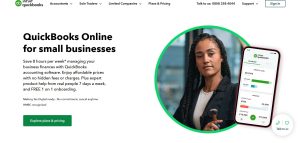
QuickBooks Online is one of the most recognised accounting software tools globally. It’s especially popular for its mobile-friendly platform, making it ideal for small business owners who need access to their finances on the go.
QuickBooks is designed to support small businesses, freelancers, and growing enterprises with payroll, tax preparation, and financial analysis.
Key Features:
- Mobile App: Track expenses, send invoices, and manage cash flow from your phone.
- Payroll Integration: Process payroll for employees directly within the platform.
- Cash Flow Forecasting: Get a clear view of future cash flow.
- Automated VAT Calculations: Ensures accurate VAT filings and compliance with HMRC.
- Invoicing: Customise invoices, send payment reminders, and track payments.
Best For:
Small businesses, startups, and companies with employees or contractors.
Pricing:
Pricing starts at £10.80/month for the basic plan.
Why Choose QuickBooks Online?
QuickBooks is a fantastic choice for small businesses that need payroll support, mobile app access, and a full suite of financial management tools.
3. FreshBooks
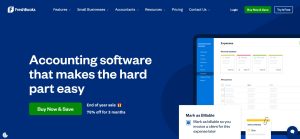
FreshBooks is a cloud-based accounting solution built for freelancers, self-employed professionals, and service-based small businesses.
Its standout feature is project-based billing, which allows users to track time spent on a task and bill clients accordingly.
Key Features:
- Invoicing and Payments: Create custom invoices, track payment status, and send reminders.
- Project Management: Assign tasks to team members and track billable hours.
- Time Tracking: Automatically track work hours for accurate billing.
- Reports and Insights: Generate financial reports like profit and loss statements.
- Online Payments: Accept payments online with Stripe and PayPal.
Best For:
Freelancers, consultants, and small service-based businesses.
Pricing:
Pricing starts at £7.50/month.
Why Choose FreshBooks?
If your business revolves around time tracking and invoicing clients, FreshBooks is the perfect fit. It simplifies project billing and payment collection.
4. Sage Business Cloud Accounting
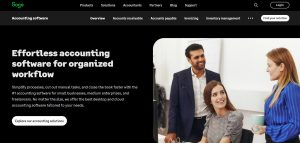
Sage Business Cloud Accounting is an industry-standard software designed to support UK small businesses. It’s one of the most trusted names in the accounting industry, known for its focus on VAT compliance and HMRC submissions.
Key Features:
- HMRC VAT Filing: File VAT returns directly with HMRC.
- Custom Invoicing: Create branded invoices for clients.
- Real-Time Bank Feeds: Import and match transactions with ease.
- Multi-User Access: Collaborate with your accountant or team.
- Payroll Integration: Manage employee payments and PAYE submissions.
Best For:
Small businesses that need VAT compliance and payroll support.
Pricing:
Plans start at £15/month.
Why Choose Sage Business Cloud Accounting?
If you’re looking for trusted software with strong VAT support and HMRC compliance, Sage Business Cloud is the top choice.
5. Zoho Books
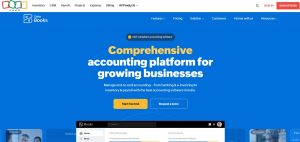
Zoho Books is a modern, cloud-based accounting software that offers powerful features at an affordable price.
It is part of the larger Zoho ecosystem, which includes CRM, project management, and HR software, making it a great all-in-one solution for small businesses.
Zoho Books stands out for its ability to track inventory, manage taxes, and handle multi-currency transactions.
Key Features:
- Expense Tracking: Track expenses and receipts in real-time.
- Inventory Management: Manage stock levels and inventory.
- Customisable Invoices: Send invoices with payment links.
- Reports: Access over 50 different financial reports.
Best For:
Startups, freelancers, and businesses looking for affordability.
Pricing:
Plans start at £7.5/month.
Why Choose Zoho Books?
If you want an affordable, all-in-one solution with the ability to track inventory, Zoho Books is an ideal option.
6. FreeAgent
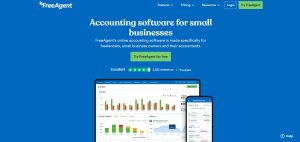
FreeAgent is a UK-based accounting software designed specifically for freelancers, contractors, and small businesses.
It provides everything you need to manage self-assessment, VAT returns, and day-to-day accounting.
It’s especially beneficial for sole traders and freelancers who bank with NatWest, Royal Bank of Scotland (RBS), or Ulster Bank, as it’s available for free through those banking partnerships.
Key Features:
- VAT Returns: Submit VAT returns directly to HMRC.
- Invoicing: Send and track invoices online.
- Self-Assessment: Submit your tax return directly to HMRC.
Best For:
Freelancers, contractors, and self-employed professionals.
Pricing:
Free with partner banks like NatWest or RBS, Ulster Bank. Other than that it starts at £16.50/month.
Why Choose FreeAgent?
FreeAgent is the perfect option for freelancers who bank with NatWest, RBS, or Ulster Bank, as it’s free.
7. Wave Accounting
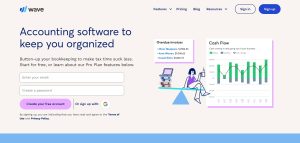
Wave Accounting is one of the few truly free accounting software tools on the market. It offers essential features like invoicing, income tracking, and receipt scanning, making it a go-to solution for freelancers, micro-businesses, and side hustlers.
While it doesn’t support VAT submissions or payroll in the UK, it’s still a viable option for small businesses that need basic accounting features.
Key Features:
- Free Invoicing: Send unlimited invoices.
- Receipt Scanning: Scan and organise receipts.
- Income and Expense Tracking: Track income and expenses without cost.
Best For:
Freelancers, side hustlers, and micro-businesses.
Pricing:
Completely free plan is available as starter plan and for the pro plan it starts at $16/month.
Why Choose Wave Accounting?
If you’re looking for a free, no-frills accounting solution, Wave is an excellent option.
8. KashFlow
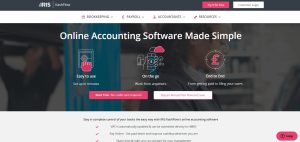
KashFlow is a UK-focused accounting software platform built with VAT compliance and payroll in mind. It is specifically designed for UK businesses that need to manage VAT, PAYE, and HMRC submissions.
KashFlow automates many manual accounting tasks, from sending payment reminders to submitting VAT returns directly to HMRC.
Key Features:
- VAT Compliance: Submit VAT returns directly to HMRC.
- Custom Invoicing: Personalise and send invoices.
- Integrated Payroll: Process employee salaries and PAYE submissions.
Best For:
Small businesses that need easy VAT submissions.
Pricing:
Starts at £1.15/month as 6 months package.
Why Choose KashFlow?
KashFlow is a solid choice if you need an affordable, HMRC-compliant tool for payroll and VAT.
9. Clear Books
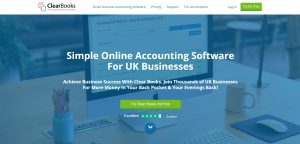
Clear Books is a user-friendly, UK-specific accounting software that offers direct VAT filing with HMRC.
It focuses on simplicity and efficiency, making it ideal for small businesses, freelancers, and contractors. Clear Books has all the essential accounting features, such as invoicing, cash flow tracking, and bank reconciliation.
Key Features:
- VAT Submission: Direct VAT submissions to HMRC.
- Invoicing: Custom invoices and payment tracking.
Best For:
Small businesses and contractors.
Pricing:
Starts at £6.75/month for the first 3 months and after that its £13.50/month.
Why Choose Clear Books?
Clear Books is perfect for small UK businesses that need VAT support and basic accounting tools.
10. Brightpearl
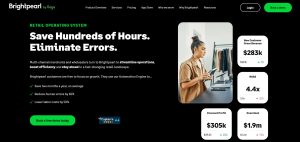
Brightpearl is a retail-focused accounting and business management platform designed for e-commerce businesses, wholesalers, and retailers.
Unlike traditional accounting software, Brightpearl offers an end-to-end solution that goes beyond bookkeeping. It includes inventory management, order processing, and customer relationship management (CRM) — all in one system.
Key Features:
- Multi-Channel Integration: Syncs with popular platforms like Shopify, WooCommerce, Amazon, and eBay to manage all sales from a single dashboard.
- Order Management: Automatically processes and tracks orders from multiple sales channels, reducing manual entry.
- Inventory Management: Track stock levels in real time, manage purchase orders, and avoid stockouts.
- Accounting & Reporting: Combines inventory data with accounting to give you an accurate financial view of your business.
- Automation & Workflows: Automate repetitive business tasks like order tracking, stock updates, and supplier management.
- CRM Integration: Manage customer data and track customer purchase history for better sales insights.
Best For:
- E-commerce businesses that sell on Shopify, Amazon, WooCommerce, and eBay.
- Retailers managing online and in-store sales channels.
- Wholesalers and suppliers with large stock volumes and high-order processing needs.
Pricing: Starts at £10/month.
Why Choose Brightpearl?
- All-in-One Platform: Unlike other accounting software, Brightpearl integrates inventory, order management, and accounting into one system, reducing the need for multiple tools.
- Multi-Channel Sales Integration: Manage orders and payments from platforms like Shopify, eBay, and Amazon without switching between different platforms.
Comparison Table of the Top 10 Accounting Software
| Software | Cloud-based? | Free Trial? | Monthly Pricing (£) | Key Features |
| Xero | ✅ Yes | ✅ Yes | £1.60 | Bank Feeds, Reports |
| QuickBooks | ✅ Yes | ✅ Yes | £10.50 | Payroll, Mobile App |
| FreshBooks | ✅ Yes | ✅ Yes | £7.50 | Invoicing, Time Tracking |
| Sage | ✅ Yes | ✅ Yes | £15 | VAT Compliance, Reports |
| Zoho Books | ✅ Yes | ✅ Yes | £7.50 | Multi-Currency, Invoicing |
| FreeAgent | ✅ Yes | ✅ Yes | Free (with partner bank) | Invoicing, Self-Assessment |
| Wave | ✅ Yes | ❌ No | Free | Invoicing, Expense Tracking |
| KashFlow | ✅ Yes | ✅ Yes | £1.15 | VAT, Payroll |
| Clear Books | ✅ Yes | ✅ Yes | £6.75 | VAT, Reports |
| Brightpearl | ✅ Yes | ❌ No | Custom | Inventory, CRM |
Which Accounting Software is Best for Your Business?
Choosing the best accounting software for your small business depends on your specific needs, industry, and business size.
While all 10 options in this list offer essential features like invoicing, expense tracking, and VAT compliance, some platforms are better suited for specific types of businesses.
Here’s a detailed look at which accounting software works best for freelancers, startups, small businesses, and growing enterprises.
1. Best for Freelancers
If you’re a freelancer or self-employed professional, you’ll want software that focuses on simplicity, invoicing, and basic expense tracking. You may not need the more complex features that larger businesses require, like payroll or multi-user access.
Recommended Software for Freelancers:
- FreshBooks: FreshBooks is a top choice for freelancers, especially those who manage multiple clients or projects. It allows easy tracking of time spent on client work, which can be converted directly into invoices. It also supports online payments, making it simple to get paid faster.
- FreeAgent: This software is particularly useful for contractors and self-employed professionals. It includes features like self-assessment tax calculation and invoice tracking, which are essential for freelancers in the UK. FreeAgent is also free for some users if they bank with partners like NatWest or Royal Bank of Scotland (RBS).
Key Features to Look For as a Freelancer:
- Easy invoicing
- Time tracking and project management
- Self-assessment tax support (for UK freelancers)
- Mobile app to manage finances on the go
Our Recommendation:
If you want simplicity and affordability, go with FreeAgent. If you need advanced invoicing and time-tracking features, choose FreshBooks.
2. Best for Startups

Startups need scalable software that can grow with them. As your business grows, you may need additional features like payroll, VAT compliance, and multi-user access. Many startups also prefer software that’s affordable in the early stages.
Recommended Software for Startups:
- Zoho Books: Zoho Books is an affordable option, starting from as low as £7/month. It offers essential features like bank feeds, invoicing, and even inventory tracking, which is perfect for startups selling products. Zoho Books is known for being cost-effective while offering big-business features.
- KashFlow: This UK-specific software is built for VAT compliance and ease of use. It’s simple to get started, and its pricing is affordable. The user interface is clean, and it offers automated reminders for VAT deadlines.
Key Features to Look For as a Startup:
- Affordable pricing with no hidden fees
- VAT compliance and submission to HMRC
- Ability to scale up as the business grows (multi-user support)
- Cloud-based software for flexibility and remote access
Our Recommendation:
If affordability is your main priority, go with Zoho Books. If you’re a UK-based startup and need support for VAT compliance, KashFlow is a great choice.
3. Best for VAT Compliance
VAT compliance is a crucial requirement for any UK business. Submitting VAT returns to HMRC can be a complex process, but modern accounting software makes it simple. Look for software that is “HMRC-recognised” and supports direct submissions of VAT returns.
Recommended Software for VAT Compliance:
- Sage Business Cloud Accounting: Sage is a leader in the accounting world and is fully recognised by HMRC for VAT submissions. It offers step-by-step guidance for submitting VAT returns and ensures you’re always compliant with the latest UK tax regulations.
- Clear Books: If you’re looking for something simpler, Clear Books is another option focused on UK-specific features. It includes VAT tracking, direct VAT submissions, and simple user interfaces.
Key Features to Look For for VAT Compliance:
- HMRC-recognised software status
- Automated VAT tracking and reports
- Direct VAT submission to HMRC
- Alerts and reminders for VAT deadlines
Our Recommendation:
If you prefer a time-tested, industry-standard tool, choose Sage Business Cloud Accounting. For a more affordable, user-friendly approach, opt for Clear Books.
4. Best for Growing Small Businesses
As your business grows, you’ll need software that can handle more complexity. This includes managing multiple users, creating detailed financial reports, handling payroll, and offering integrations with other business software.
Recommended Software for Growing Businesses:
- Xero: Xero is the ultimate choice for growing small businesses. It supports multiple users, integrates with over 1,000 third-party apps, and offers detailed financial reports. It’s ideal for businesses that need scalability.
- QuickBooks Online: QuickBooks is another great option. It has a well-rounded set of features, including payroll, multi-user support, and mobile access. It also integrates with tools like PayPal and Shopify, which is useful for e-commerce businesses.
Key Features to Look For as a Growing Business:
- Multi-user support with role-based permissions
- Advanced financial reporting and analytics
- Bank integration and bank reconciliation
- Integration with third-party apps (like payment gateways and CRM software)
Our Recommendation:
For maximum scalability, go with Xero due to its powerful integrations and user-friendly dashboard. For a more flexible option with excellent multi-user support, QuickBooks Online is the way to go.
5. Best for Retail and E-commerce Businesses
Retail businesses and e-commerce stores have unique needs. They need to manage inventory, track sales, and sync with e-commerce platforms like Shopify, eBay, and Amazon. Accounting software for retail must provide support for stock control, sales tracking, and multi-currency payments.
Recommended Software for Retail Businesses:
- Brightpearl: Brightpearl is designed for retailers and e-commerce businesses. It handles accounting, inventory management, order management, and even CRM features. It’s perfect for companies selling through multiple channels like Shopify, Amazon, and eBay.
- Xero: Xero integrates with popular e-commerce platforms and offers inventory tracking and real-time reporting, making it another great option for retail businesses.
Key Features to Look For for Retail Businesses:
- Inventory management and stock tracking
- Multi-currency support for international sales
- Integration with Shopify, eBay, and Amazon
- Sales tracking, invoicing, and receipt scanning
Our Recommendation:
If you’re an e-commerce business that sells on platforms like Shopify or eBay, Brightpearl is a specialised option with industry-specific features. For general retail operations, Xero is a strong choice thanks to its integration capabilities.
Summary of Recommendations
| Business Type | Recommended Software | Why? |
| Freelancers | FreshBooks, FreeAgent | Simple invoicing and tax support |
| Startups | Zoho Books, KashFlow | Affordable and scalable |
| VAT Compliance | Sage Business Cloud, Clear Books | HMRC-recognised VAT compliance |
| Growing Businesses | Xero, QuickBooks Online | Multi-user, advanced reporting |
| Retail & E-commerce | Brightpearl, Xero | Inventory, order, and sales tracking |
| Cost-Conscious | Wave, FreeAgent | Free or low-cost solutions |
Conclusion
Choosing the right accounting software for your small business is essential for maintaining financial health, ensuring VAT compliance, and saving time on repetitive tasks. Each of the Top 10 Accounting Software for Small Business has its own unique strengths.
If you’re a freelancer or sole trader, tools like FreeAgent and Wave offer simplicity and cost-effectiveness. For businesses focused on growth and scalability, platforms like Xero and QuickBooks Online provide comprehensive features and multi-user support.
If you’re in the retail or e-commerce sector, Brightpearl stands out as the ideal solution for managing sales, orders, and inventory across multiple platforms.
Ultimately, the “best” accounting software depends on your specific business needs, industry, and growth potential. Many of these platforms offer free trials, so take advantage of them to find the right fit for your company.
By choosing the right software, you’ll gain better financial visibility, improve efficiency, and set your business up for long-term success.
FAQ
What is the most affordable accounting software for small businesses?
The most affordable accounting software is Wave, which is completely free. Zoho Books also offers affordable pricing, starting at £7/month.
Which accounting software is best for VAT compliance in the UK?
Sage Business Cloud Accounting, Clear Books, and KashFlow are all HMRC-approved and designed for VAT submissions. They make it easy to track and submit VAT returns directly to HMRC.
Can I use free accounting software for my small business?
Yes, you can. Wave offers a completely free accounting solution for freelancers, side hustlers, and small businesses. However, it doesn’t support VAT submissions for UK businesses.
Which accounting software is best for e-commerce businesses?
Brightpearl is the best option for e-commerce and retail businesses. It integrates with Shopify, Amazon, eBay, and WooCommerce to manage orders, inventory, and payments in one system.
What is the easiest accounting software for beginners?
Wave, FreeAgent, and Zoho Books are considered the easiest accounting software for beginners. They have simple dashboards, easy-to-use interfaces, and customer support to assist users who are new to accounting.
How do I choose the best accounting software for my business?
To choose the best accounting software, consider your business needs, such as VAT compliance, payroll management, and inventory tracking. Startups may prefer affordable options like Zoho Books, while e-commerce businesses may require platforms like Brightpearl.
Do I need accounting software if I’m self-employed?
Yes, accounting software like FreeAgent or Wave can help self-employed individuals track income, manage expenses, and file self-assessment tax returns. It simplifies bookkeeping and ensures tax compliance.