


The difference between two-factor authentication (2FA) and two-step verification (2SV) comes down to what is being verified.
Two-factor authentication requires two different categories of authentication factor. Two-step verification simply describes a login process containing two verification stages.
Those concepts can overlap, which is why technology companies often use the terms interchangeably.
For example, entering a password and then approving a notification on a registered smartphone is both a two-step process and two-factor authentication: the password is something you know, while control of the registered device represents something you have.
Entering a password and then answering a security question is different. There are two verification steps, but both rely on knowledge. Under a strict security definition, that is two-step verification rather than true two-factor authentication.
Modern authentication complicates the terminology further. Passkeys and cryptographic authenticators can combine multiple factors in a single sign-in ceremony, meaning strong multi-factor authentication does not always require two separate screens or visibly sequential steps.
What Is the Main Difference Between Two Factor and Two Step Verification?
The simplest way to understand the distinction is:
2SV counts steps.
2FA counts independent factor categories.
Authentication factors are normally grouped into three broad categories:
- Something you know – such as a password or PIN.
- Something you have – such as a registered smartphone, hardware token or security key.
- Something you are – such as a fingerprint or facial biometric.
Current Microsoft MFA guidance uses these categories when explaining multi-factor authentication.
A genuine two-factor login needs evidence from two different categories.
| Login method | Number of steps | Different factor categories? | True 2FA? |
| Password only | 1 | No | No |
| Password + security question | 2 | No – both knowledge | No |
| Password + SMS code | 2 | Yes – knowledge + possession | Yes, but comparatively weak |
| Password + authenticator-app code | 2 | Yes | Yes |
| Password + hardware security key | 2 | Yes | Yes |
| Password + fingerprint on registered device | Usually 2 | Yes | Yes |
| Passkey unlocked with device biometric/PIN | Can appear as 1 user action | Can combine possession + local activation | Can provide strong multi-factor authentication depending on implementation |
The distinction therefore is not simply whether the user enters information twice.
What matters technically is whether compromise of one factor automatically compromises the other.
Why Are 2FA and 2SV Often Used as If They Mean the Same Thing?
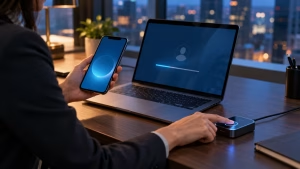
Consumer services rarely follow terminology as strictly as security standards.
Google, for example, calls its account security system 2-Step Verification even though many of the available methods provide genuine multi-factor protection.
Under current Google 2-Step Verification guidance, users can protect accounts using methods including:
- Google prompts.
- Authenticator apps.
- SMS or voice codes.
- Hardware security keys.
- Passkeys.
If someone signs in using a password and then a registered security key, the process is both 2SV and 2FA.
A password followed by an authenticator-app code is also normally two-factor authentication because the user demonstrates:
Knowledge: the password.
Possession: the authenticator registered on their device.
So it would be misleading to say that Google’s use of the phrase “2-Step Verification” means its security is not true 2FA.
The terminology describes the product experience, while the underlying authentication method determines the actual factors being used.
Which Authentication Factors Make Up True 2FA?
A factor must provide an independent form of proof.
| Factor category | Typical examples | Main weakness |
| Something you know | Password, PIN | Can be stolen, guessed or phished |
| Something you have | Smartphone, authenticator, security key | Device or token can be lost or compromised |
| Something you are | Fingerprint, face recognition | Biometric systems have matching and recovery considerations |
A typical 2FA combination might therefore be:
Password + security key
or:
PIN + registered smartphone
or:
Password + biometric verification through an appropriately configured device
Two passwords do not create two-factor authentication.
Neither do a password and a conventional security question, because both depend on information the person knows.
This is why startups handling customer, employee or financial data should treat authentication as part of wider data security management rather than assuming that any extra login prompt creates strong MFA.
Is a Password Plus a Security Question Two-Factor Authentication?
No, not under a strict factor-based definition.
Consider this login:
Step 1: Enter password.
Step 2: Answer “What was the name of your first pet?”
There are clearly two steps.
But both involve something you know.
An attacker who can research, phish or obtain personal information may be able to compromise both without obtaining a separate physical authenticator.
Modern NIST guidance is even less favourable towards conventional security questions.
The problem is that security-question answers are often:
- Publicly discoverable.
- Shared on social media.
- Guessable.
- Reused between services.
- Available through data breaches.
- Based on a small number of likely responses.
This is a good example of why two steps do not automatically equal two factors.
Is SMS Verification True Two-Factor Authentication?
It can be.
A password plus an SMS code normally combines:
Something you know: password.
Something you have: control of the phone number/SIM receiving the code.
That means it can satisfy a two-factor structure.
However, qualifying as 2FA does not mean it is strong 2FA.
Current NIST guidance treats authentication over the public switched telephone network, including SMS and voice, as a restricted authenticator. It advises verifiers to consider signals such as SIM changes, number porting and device swaps.
US cybersecurity guidance also ranks SMS and voice below authenticator applications and phishing-resistant FIDO-based authentication because SMS can be exposed to phishing, telecom-network attacks and SIM swapping.
The SIM-Swap Problem
A SIM-swap attack attempts to transfer a victim’s telephone number to a SIM or account controlled by an attacker.
If successful, the attacker may receive SMS authentication codes intended for the real user.
SMS also creates other weaknesses:
- Codes can be phished.
- Users can be tricked into reading codes to scammers.
- Telephone accounts can be socially engineered.
- SMS travels through telecom infrastructure rather than a purpose-built cryptographic authentication protocol.
That does not mean businesses should turn off SMS and return to password-only logins.
If SMS is the only second-factor option available, it generally provides an additional protection layer compared with relying only on a password.
The better approach is to migrate valuable accounts towards stronger methods.
Which Authentication Methods Provide the Strongest Security?
Not all multi-factor methods offer equal protection.
A practical hierarchy looks like this:
| Method | Security level | Main weakness |
| Password only | Low | One stolen credential can expose account |
| Password + security question | Low | Same factor type; information can be researched |
| Password + SMS | Better | SIM swap, phishing, telecom risks |
| Password + email OTP | Better than password alone in some setups | Email account can itself be compromised |
| Password + authenticator TOTP | Stronger | Codes can still be phished |
| Password + push with number matching | Stronger | Social engineering remains possible |
| FIDO2/WebAuthn security key | Very strong | Key management and recovery required |
| Properly implemented passkey | Very strong | Device/recovery security still matters |
This also explains why a company should not stop its security work after enabling an annual check or basic MFA. Authentication belongs inside a broader programme of continuous cybersecurity assessment, patching, access management and employee awareness.
Authenticator Apps and TOTP
Authenticator applications generate temporary one-time passwords, often using the Time-Based One-Time Password algorithm.
Examples include:
- Microsoft Authenticator.
- Google Authenticator.
- Other standards-compatible TOTP applications.
Unlike SMS codes, TOTP codes are normally generated locally by the authenticator rather than being delivered through the mobile telephone network.
This removes exposure to SIM-swap interception.
But TOTP should not be described as phishing-proof.
An attacker operating a convincing fake login page can potentially capture both the password and a valid OTP and relay them to the legitimate service before the code expires.
NIST explicitly states that manually entered OTP authentication is not phishing-resistant.
Hardware Security Keys
FIDO/WebAuthn security keys provide a substantial architectural improvement.
Instead of asking the user to type a reusable or temporary secret into a webpage, the authenticator uses public-key cryptography and binds authentication to the legitimate service.
Google security specialist Christiaan Brand has described the benefit succinctly:
“Security keys provide the strongest protection against these types of attacks.”
This is particularly important against credential phishing because the key can distinguish the legitimate website from an imitation.
Passkeys
Passkeys are changing the traditional idea that strong authentication must always mean:
password → second prompt → code
A passkey uses public-key cryptography and is stored on an authorised device or credential provider.
The user commonly unlocks it using:
- Fingerprint.
- Face recognition.
- Device PIN.
- Screen lock.
Google’s current account documentation explains that a passkey can bypass the conventional second authentication step because possession of the credential has already been established through the device and its local unlock process.
This creates an important modern clarification:
Two-factor authentication does not necessarily mean two visible user steps.
A multi-factor cryptographic authenticator can combine possession of a cryptographic key with a local PIN or biometric activation factor inside one authentication flow. NIST explicitly recognises this architecture.
Why Is Phishing Resistance More Important Than Counting Login Steps?
Counting prompts can give a false sense of security.
Imagine two systems.
System A
- Password.
- SMS code.
System B
- Hardware security key unlocked using biometric verification.
System A clearly contains two visible steps.
System B may feel like one user interaction.
Yet System B can provide substantially stronger resistance to phishing because its cryptographic authentication is tied to the legitimate service.
Current standards increasingly focus on authentication assurance and phishing resistance, rather than merely asking whether a login contains a second screen.
NIST’s current AAL2 guidance requires proof of two distinct factors and requires providers to offer a phishing-resistant authentication option.
This is one reason businesses should move beyond the simplistic idea that:
More login screens = better security.
Architecture matters more.
Can Hackers Bypass Two-Factor Authentication?
Yes.
2FA greatly increases the difficulty of account takeover, but no authentication method should be described as impossible to defeat.
Different methods face different attacks.
| Attack | SMS | TOTP app | Push MFA | FIDO security key/passkey |
| Password phishing | Helps | Helps | Helps | Strong protection |
| SIM swapping | Vulnerable | Resistant | Resistant | Resistant |
| Real-time phishing proxy | Vulnerable | Vulnerable | Can be vulnerable | Strongly resistant when properly implemented |
| Push fatigue | N/A | N/A | Possible | N/A |
| Device theft | Possible | Possible | Possible | Depends on device/key protection |
| Social engineering | Possible | Possible | Possible | Reduced but recovery processes still matter |
A particularly common mistake is sharing a verification code with someone who claims to be from a bank, employer or technology provider.
Verification codes should be treated like passwords.
Employees exposed to phishing text messages should be trained never to approve an unexpected login request or disclose authentication codes simply because a message creates urgency.
Does Two-Factor Authentication Stop Phishing?
Traditional MFA reduces the value of a stolen password, but not every MFA method prevents phishing.
If an attacker tricks someone into visiting a fake login page, the victim could potentially provide:
- Username.
- Password.
- TOTP or SMS code.
A sophisticated adversary can relay those credentials to the genuine service in real time.
That means the user technically had 2FA enabled, but the authentication method was still phishable.
FIDO/WebAuthn changes this by using cryptographic verification bound to the legitimate site.
Current security guidance therefore increasingly distinguishes between:
MFA
and
phishing-resistant MFA.
The second is the stronger objective.
Microsoft identity-security specialist Alex Weinert summarised the wider value of MFA in a widely cited security analysis:
“Your password doesn’t matter, but MFA does!”
His broader point was that organisations should not rely on passwords as the sole security barrier and should progressively move towards stronger cryptographic credentials.
Why Do Security Questions No Longer Provide Strong Protection?
Security questions were designed in an era when personal information was harder to discover.
That assumption no longer holds.
Answers to questions such as:
- Mother’s maiden name.
- First school.
- Birthplace.
- First car.
- Pet’s name.
may be discoverable through social networks, public records or historic breaches.
NIST withdrew conventional knowledge-based authentication as an accepted authenticator because such information can be private without actually being secret.
Businesses designing modern login systems should therefore avoid treating:
password + security question
as equivalent to:
password + registered security key.
Both may involve two prompts, but their security properties are fundamentally different.
How Do Google and Microsoft Use the Terminology Differently?
The terminology used in product interfaces can be confusing.
| Organisation/product language | Common term |
| Google Account | 2-Step Verification |
| Microsoft identity platforms | Multifactor Authentication / MFA |
| Many consumer services | Two-Factor Authentication |
| Security standards | MFA, factors and authentication assurance levels |
Google’s terminology is primarily product-oriented.
Microsoft more often uses MFA as the broader technical category, with 2FA being a two-factor subset.
Neither naming convention by itself tells you how strong the authentication is.
You need to look at the actual method being used.
For example:
Google 2-Step Verification + hardware key: strong multi-factor protection.
Microsoft MFA + SMS: multi-factor protection, but comparatively weak.
Any platform + password and security question: two verification prompts, but not two independent factor categories.
How Should UK Startups Implement Authentication?
For businesses, the difference between 2SV and 2FA becomes operational rather than academic.
Accounts that deserve stronger authentication include:
- Business email.
- Cloud administration.
- Banking.
- Accounting software.
- Payroll.
- CRM.
- Customer databases.
- Code repositories.
- Domain registrar.
- Social media.
- Payment systems.
- Remote-access tools.
Organisations using outsourced IT support for small businesses should confirm exactly which MFA method protects administrator accounts, rather than accepting “2FA enabled” as enough detail.
A Practical Rollout Priority
A sensible implementation order is:
First: Require MFA on administrators, email and financial accounts.
Second: Prefer FIDO/WebAuthn passkeys or hardware-backed authentication where available.
Third: Use authenticator applications or number-matching push authentication where phishing-resistant MFA is not yet practical.
Fourth: Retain SMS only where stronger methods are unavailable or as a carefully controlled fallback.
Fifth: Remove dormant accounts and legacy authentication methods that bypass MFA.
Sixth: Document account-recovery procedures before employees lose devices or keys.
The strongest authentication method can still be undermined if the helpdesk resets an account after receiving weak identity evidence.
Why Is Email One of the First Accounts That Should Use Strong MFA?
Email is often the recovery channel for many other services.
If an attacker gains access to a business mailbox, they may be able to:
- Reset other passwords.
- Impersonate senior staff.
- Read invoices.
- Alter payment instructions.
- Access confidential attachments.
- Identify customers and suppliers.
- Launch highly convincing phishing attacks.
A startup developing its professional email infrastructure should therefore secure administrator and mailbox accounts at the same time it configures domain-level protections.
MFA does not replace SPF, DKIM or DMARC, and those technologies do not replace MFA.
They solve different security problems.
Where Does Government Gateway Two-Step Verification Fit?
Government services provide a useful real-world example of two-step terminology.
Businesses and individuals accessing tax information may encounter Government Gateway two-step verification as part of account sign-in.
The term “two-step” tells the user there is additional verification beyond the initial credentials.
From a technical perspective, the strength of that protection still depends on which second method is used and how securely recovery is handled.
This illustrates the broader lesson:
Product names describe an authentication experience; factor analysis describes its security architecture.
What Should Businesses Do About Account Recovery?

Recovery is one of the most overlooked parts of authentication.
A company might deploy hardware security keys to employees but then allow the account to be recovered through a weak SMS number.
An attacker will naturally target the weaker route.
Strong recovery planning can include:
- Registering two security keys for critical accounts.
- Keeping a backup key securely stored.
- Protecting recovery email accounts with MFA.
- Restricting administrator password resets.
- Requiring stronger identity checks for high-value account recovery.
- Regularly reviewing registered devices and phone numbers.
- Immediately removing authenticators belonging to former employees.
- Keeping emergency access credentials securely controlled.
The real security level of an account is often determined by its weakest permitted sign-in or recovery path.
Is 2FA Always Better Than 2SV?
Not automatically, because the terms are used inconsistently.
A service labelled “2SV” might use a FIDO security key and provide excellent protection.
A service labelled “2FA” might rely on SMS and offer much weaker phishing resistance.
The label is therefore less important than answering four questions:
- Are two genuinely independent factors involved?
- Can a phishing website capture and replay the credentials?
- Can an attacker take over the recovery channel?
- Does the account allow weaker fallback methods?
This provides a much more meaningful security assessment than simply checking whether an account settings page contains the words “2FA”.
Which Authentication Method Should You Choose?
For most users and businesses, the choice should be based on the strongest option the service supports.
| Situation | Preferred approach |
| High-value admin account | FIDO security key or strong passkey |
| Business email | Passkey/security key; strong MFA |
| Banking | Strongest method provided by bank |
| General SaaS account | Authenticator app or stronger |
| Service offering only SMS | Use SMS rather than password alone |
| Employee fleet | Centrally managed phishing-resistant MFA |
| High-risk executive | Hardware-backed FIDO authentication |
| Backup authentication | Separate secured key/recovery mechanism |
Current federal security guidance describes phishing-resistant FIDO/WebAuthn authentication as the strongest direction and recommends migration away from SMS for high-value accounts.
The priority should therefore be:
phishing-resistant authentication where practical, authenticator-based MFA where it is not, and SMS only where stronger choices are unavailable.
What Is the Final Difference Between Two Factor and Two Step?
The terms overlap, but they are not technically identical.
Two-Step Verification (2SV) describes a process containing more than one verification stage.
Two-Factor Authentication (2FA) specifically requires authentication using two independent factor categories.
That produces several useful rules:
- Every traditional two-stage 2FA login is also a two-step login.
- Not every two-step login is genuine two-factor authentication.
- Password + security question is two-step but single-factor.
- Password + SMS can be 2FA, although SMS is weaker.
- Password + authenticator app is 2FA, but OTP remains phishable.
- Password + security key provides stronger 2FA.
- Modern passkeys can deliver strong cryptographic authentication without requiring two visibly separate login screens.
The most important lesson is therefore not to count prompts.
Evaluate the factors, their independence and their resistance to phishing.
For individuals, that means choosing an authenticator app, security key or passkey when available.
For businesses, it means treating strong authentication as part of a wider identity-security programme rather than assuming that any second login screen makes an account secure.
Frequently Asked Questions
Is two-step verification the same as two-factor authentication?
Not always. Two-step verification describes the number of verification stages, while true 2FA requires two different authentication factor categories.
Is password plus SMS true 2FA?
Normally yes, because a password is a knowledge factor while access to the registered phone number represents possession. However, SMS is considered a weaker authentication method.
Is password plus a security question 2FA?
No. Both depend on information the user knows, so this is two-step verification using one factor category rather than genuine 2FA.
Is an authenticator app safer than SMS?
Generally yes. Authenticator-generated codes avoid SIM-swap interception, although manually entered OTP codes can still be captured through phishing.
Are hardware security keys safer than authenticator apps?
FIDO/WebAuthn security keys provide stronger phishing resistance because authentication is cryptographically bound to the legitimate service rather than relying on a code the user can accidentally give to an attacker.
Are passkeys considered two-factor authentication?
A passkey can use a multi-factor authenticator combining possession of the cryptographic credential with local activation through a PIN or biometric. The exact assurance depends on implementation.
Can hackers bypass 2FA?
Some types can be bypassed through phishing, SIM swapping, push fatigue, account recovery attacks or stolen sessions. Phishing-resistant cryptographic methods significantly reduce several of these risks.
Should businesses stop using SMS MFA immediately?
Not if the alternative is password-only authentication. SMS can still provide an additional security layer, but businesses should plan migration to stronger authenticator apps or phishing-resistant methods for valuable accounts.
What is phishing-resistant MFA?
It is authentication designed so credentials cannot simply be captured on a fake website and replayed to the real service. FIDO/WebAuthn is the leading widely deployed example.
Which is more important: two steps or two factors?
Two independent factors matter more than simply having two prompts. Modern authentication design increasingly focuses on factor independence, cryptographic protection and phishing resistance.