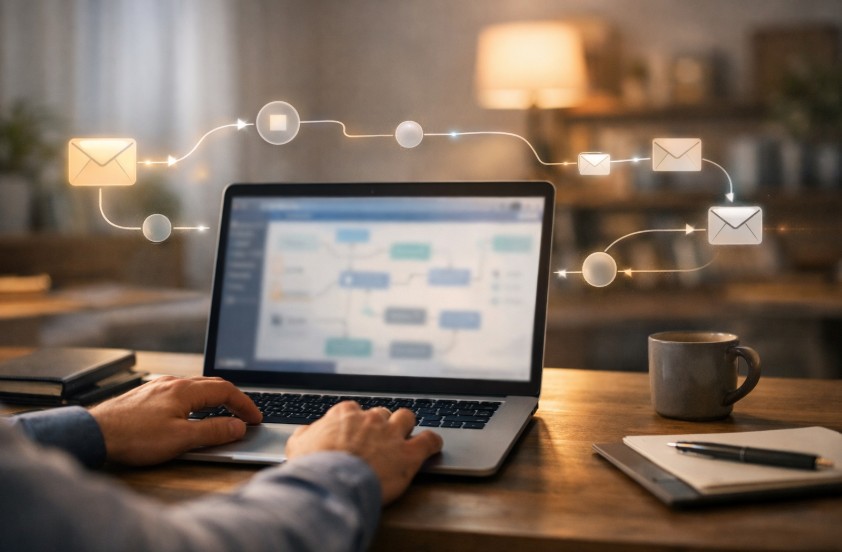
Email automation can save you time, boost replies, and keep your team focused on what matters most. But setting it up the right way is just as important as using it. A rushed or poorly planned workflow can lead to missed messages, low engagement, or even damaged trust with your audience.
That’s why smart planning comes first. From choosing the right triggers to keeping messages personal and timely, small details make a big difference. In this guide, we’ll walk through the key things you should think about before automating your email workflows, so your emails feel helpful, human, and effective, not robotic or ignored.
Selecting Your Automation Platform

This technology choice makes or breaks everything that follows. Your platform should accelerate growth, not throttle it.
Must-Have Platform Capabilities
Prioritize platforms with drag-and-drop workflow builders if your team lacks coding chops. Advanced segmentation and tagging aren’t nice-to-haves, they’re critical for genuine personalization.
Examine integration compatibility closely, especially with your CRM and current toolkit. If you’re running outbound prospecting campaigns, specialized Sparkle cold email delivers targeted sequences for outreach while meshing perfectly with your main automation stack.
Planning for Growth
Consider your volume today and where you’ll be half a year out. Will the platform manage ten times your current email load without choking? Database architecture becomes mission-critical as your contact base expands.
API limitations might sound like tech jargon, but they directly control how fast information moves between your systems. Cloud solutions generally scale more gracefully than self-hosted options.
Calculate True Ownership Costs
Monthly subscription pricing tells only part of the story. Include training investment for your team, think weeks, not afternoons. Migration expenses from your legacy system can hit four or five figures easily. Continuous optimization demands dedicated attention, whether from staff or consultants. Run the real cost numbers across twenty-four months, not just twelve.
Planning Your Strategy Before You Build
Here’s something nobody tells you, automating a mess just gives you a faster mess. You need crystal-clear objectives before you even log into any automation software.
Document Your Existing Process
Map out every single email touchpoint along your customer’s path. Where do folks first land in your funnel? Which messages are you still sending by hand? Most companies realize they’re blasting 40-60% too many emails once they actually visualize the whole thing.
Document your response speeds and engagement numbers right now, you’ll need these baselines to prove your automation workflow actually works down the road.
Define Concrete Automation Objectives
Skip the everyone’s doing it mentality. Pin down exactly what outcomes you’re chasing with automated email workflows, faster lead replies, smarter nurture campaigns, or cutting manual grunt work.
Connect these objectives directly to business metrics that matter, conversion percentages, revenue per message. Build a staged plan that hits your easiest wins first.
Craft Your Segmentation Approach
Your automation performs only as well as how you segment your audience. Develop detailed personas driven by actions, not just age and location.
When you’re automating email processes, dynamic grouping means you can react to what people actually do instead of relying on outdated lists. Factor in compliance too, various segments need different permission levels based on geography and how they connected with you.
Building Smart Workflow Logic

Here’s where email workflow management gets genuinely fascinating. The logic powering your workflows decides whether recipients find them valuable or irritating.
Build Around Behavioral Triggers
Behavioral triggers crush time-based scheduling every time. When someone grabs a whitepaper, opens three messages consecutively, or bails on checkout, these moments should spark relevant follow-ups.
Combine website behavior, application usage, and even in-person interactions as catalysts. Just add frequency governors so overzealous workflows don’t bombard people.
Deploy Conditional Logic Patterns
If/then branches enable you to personalize at massive scale. Someone clicks your pricing page? Queue up customer stories next. They’ve ghosted five straight emails?
Remove them from the sequence. Embed split testing directly into workflows for constant optimization. Always establish explicit exit conditions so contacts don’t circle endlessly in loops.
Perfect Your Timing
A marketing manager who automated their social media posting and email campaign workflows reported spending 70% more time on content strategy and creative development, leading to a 45% increase in engagement rates.
When you hit send matters enormously. Machine learning algorithms can predict ideal delivery times for each person. Honor time zones, nobody appreciates a 3 AM inbox surprise. Spacing between sequence emails needs experimentation, though 2-4 days typically performs well in B2B contexts.
Track Performance and Iterate
You can’t elevate what you’re not measuring. Email automation best practices always demand rigorous analytics and refinement.
Essential Metrics Worth Watching
Open rates are baseline, dig into deeper engagement signals like reading duration and click-through patterns. Revenue attribution reveals which workflows genuinely move the business needle.
Monitor workflow efficiency markers like completion percentages and abandonment stages. List health scoring alerts you to deliverability problems before they crater your campaigns.
Create a Testing Culture
Bake A/B experimentation into your workflow foundation. Test subject lines, message content, send timing, isolate one variable per test. Rely on statistical significance tools instead of hunches. Record every experiment and outcome. Deploy winners methodically, not randomly.
Establish Refinement Rhythms
Review workflows every quarter at minimum. Watch for automation burnout symptoms like engagement trending downward. Cut dead-weight sequences without mercy, not everything earns its keep. When you discover patterns that work, replicate them across other workflows. You’re aiming for steady progress, not flawless execution.
Common Questions About Email Workflow Automation

How Long Before I See ROI From Email Automation?
Most operations hit positive ROI within 2-3 months for straightforward workflows, 4-6 months for intricate sequences. Efficiency gains show up immediately, though revenue impact requires more time to surface and validate.
Can Small Businesses Benefit From Automated Workflows?
Definitely. Smaller teams gain the most because automation multiplies constrained resources. Launch with one or two workflows, nail them, then broaden. Enterprise-level budgets aren’t required for effective automation.
How Many Emails Should an Automated Sequence Include?
Depends on your goal, though 3-7 messages works for typical nurture flows. Sales sequences might stretch 8-12 emails. Watch your drop-off data, if people exit after message four, you’ve got your ceiling.
Wrapping Up: Making Email Automation Work
What separates automation that delivers from automation that drains resources isn’t technical wizardry, it’s thoughtful planning. Begin by mapping your existing process, select a platform matching your real requirements, and architect workflows with logical structure and clear exits.
Resist automating your entire operation at once, choose one high-leverage workflow, perfect it, then expand outward. Remember this: automation amplifies your current approach, so repair broken processes before you automate them. Organizations that succeed with automation prioritize continuous measurement and evolution over set it and forget it mentality.